Sky Contours
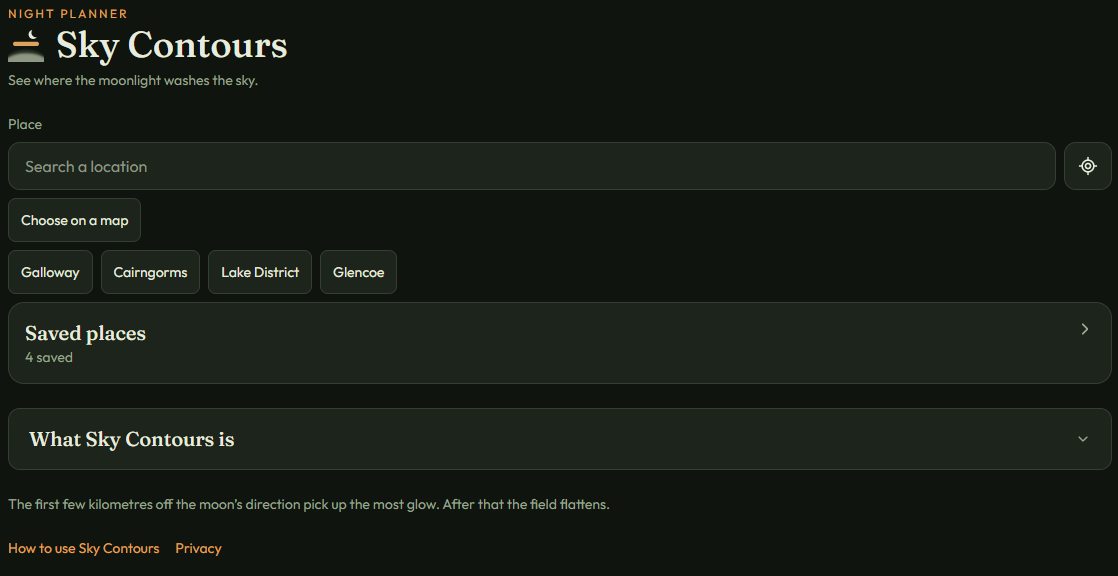
How to use Sky Contours
For hill walkers, photographers and stargazers.
Sky Contours shows how moonlight washes the sky at one place. The sky is brightest toward the moon and darker on the far side.
In a hurry?
- Search for a hill, a glen or a dark site, or tap the target button to use where you are.
- Drag the line to see how the moonlight changes from dusk to dawn.
- Read the number. Higher is better. About 5.8 is a dark sky, and about 4.6 is a sky washed by a bright moon.
1.Choose a place
There are three ways to pick a place. Use whichever suits you.
- Type it. Tap the Search a location box and type a town, a hill, or a dark site. Tap the name you want and the sky for that spot opens.
- Use where you are. Tap the round button with a small target on it, beside the search box. If your phone asks, tap Allow. If you tap Don’t allow, nothing is broken. Type a place name instead.
- Pick it on a map. Tap Choose on a map, then tap the spot you want. The pin moves there. Tap Use this spot. Tap Hide map if you change your mind.
2.Read the sky
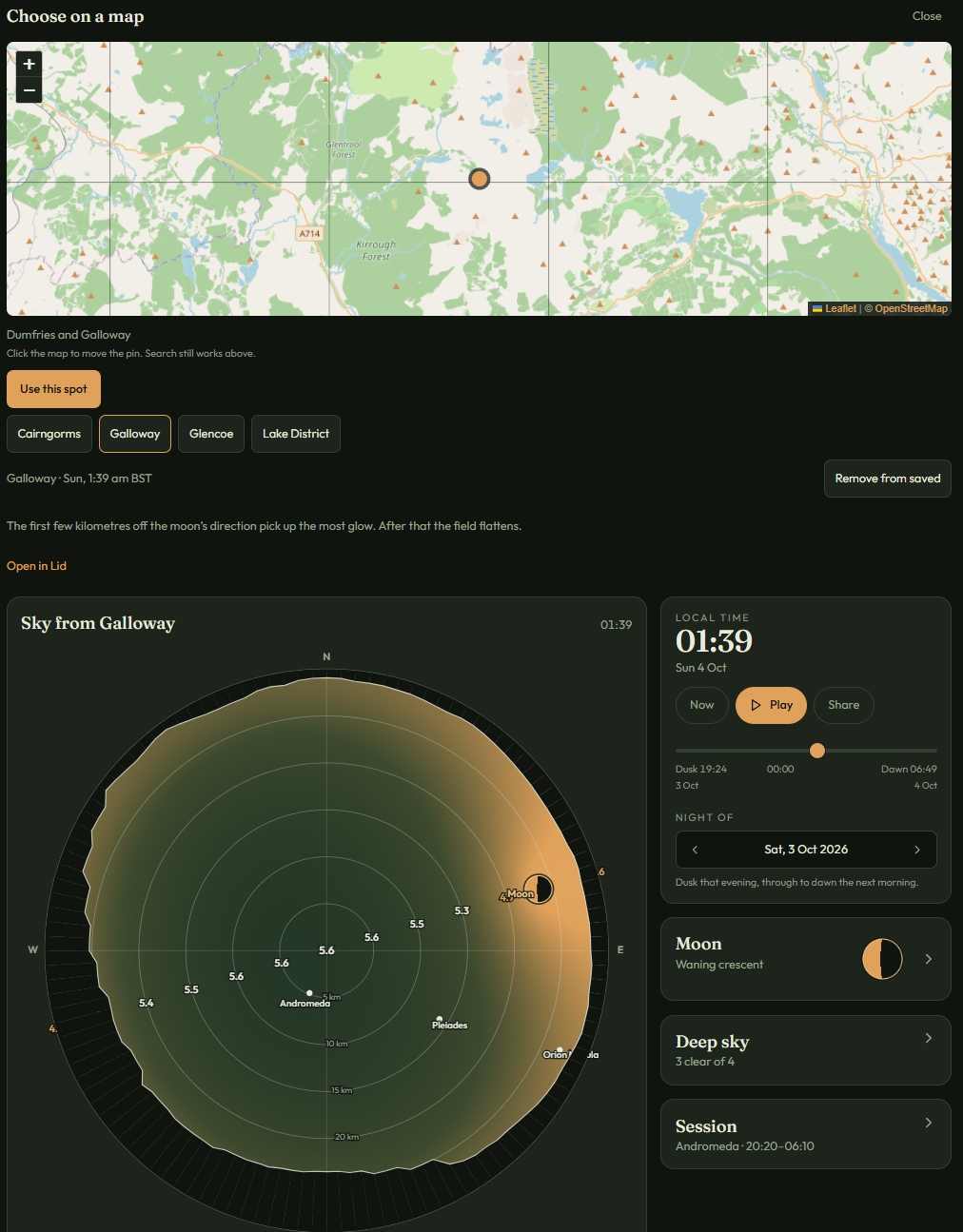
The round picture is the sky above that place. The centre is straight overhead. The edge is the horizon.
Copper is toward the moon, so that side is brighter. The far side is darker.
The numbers show how faint a star you can still see. A higher number is better, because fainter stars show up. A lower number means a brighter sky.
About 5.8 is a dark sky. About 4.6 is a sky washed by a bright moon.
Where hills block the view, the edge of the circle lifts.
3.Move through the night
The time runs from dusk to dawn. Drag the line to another hour. The moon moves, and the copper wash moves with it.
Tap Now to come back to the present. Tap Play to let the night run. Use Night of to change the date.
4.Read the moon
Open the Moon box. It shows the phase, how much of the moon is lit, and how high it sits.
A low, thin moon barely brightens the sky. A high, full moon washes the near side.
5.Save a place you use often
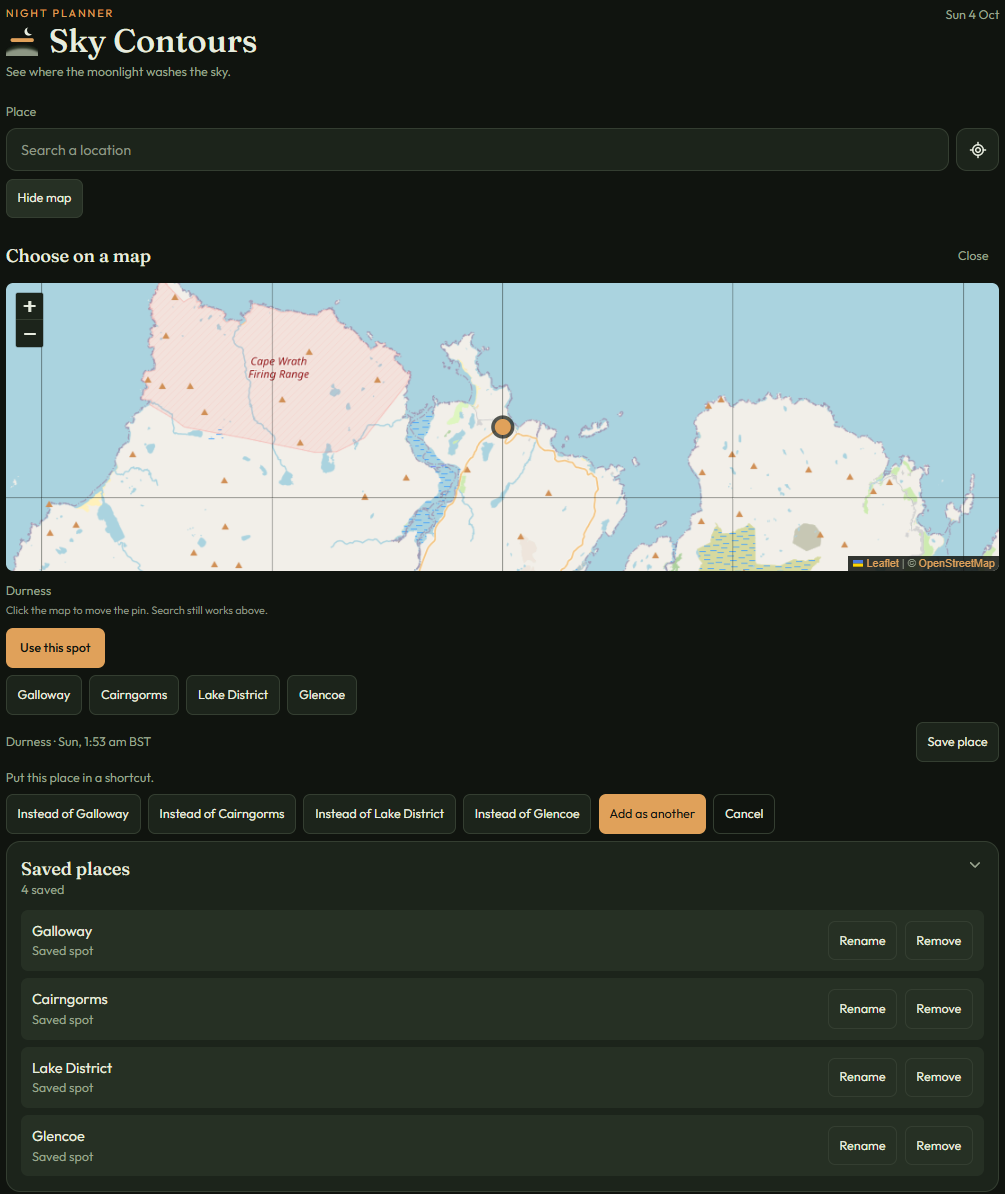
When a place is open, tap Save place. You can put it in place of a shortcut you already have, or tap Add as another. You can keep up to eight.
Your saved places appear as tiles under Choose on a map. Tap one to open it again.
To rename or remove a place, open the Saved places box under What Sky Contours is. Tap its title to open it, and tap again to close it.
6.Share the night
Tap Share on the time card. Sky Contours draws a picture of the place, with the magnitude and the hour.
Tap Share to send the picture and the link, or Save picture to keep the image.
The person who receives it can look at the picture, then open the link.
Going further
Chart something in the sky
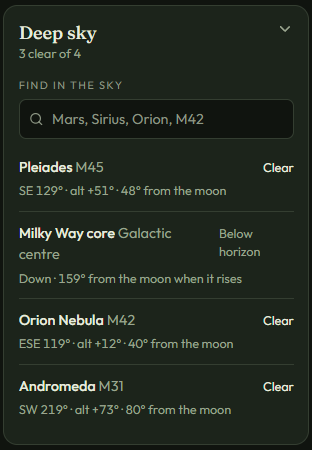
Open Deep sky. Search a constellation, a planet, or a named object such as the Pleiades.
It is drawn on the sky map, with its direction and how far it sits from the moon. An object far from the moon is less affected by its glow.
You can save a search, or leave the ones already listed.
Open the other boxes
Some titles have a small arrow. Tap the title to open the writing inside. Tap it again to close it.
Session lists hours in the night for the objects on the chart. Rings by bearing lists the magnitude at each distance and direction.
Check for a lid
Lid is the companion app. Sometimes a layer of warm air settles on top of cold air and traps mist, fog and cloud below. That layer is called a lid. Lid gives you the chance of one forming at your spot.
Open the Lid box in Sky Contours to see that chance for the place you have open, when one is available. For the full forecast and the nearest high point to climb above it, open Lid.
A last note
Sky Contours is for planning a night under the moon. It covers moonlight only, so it is not a weather forecast. Cloud, haze, and street lights can still hide the stars, so check those too before you set off.